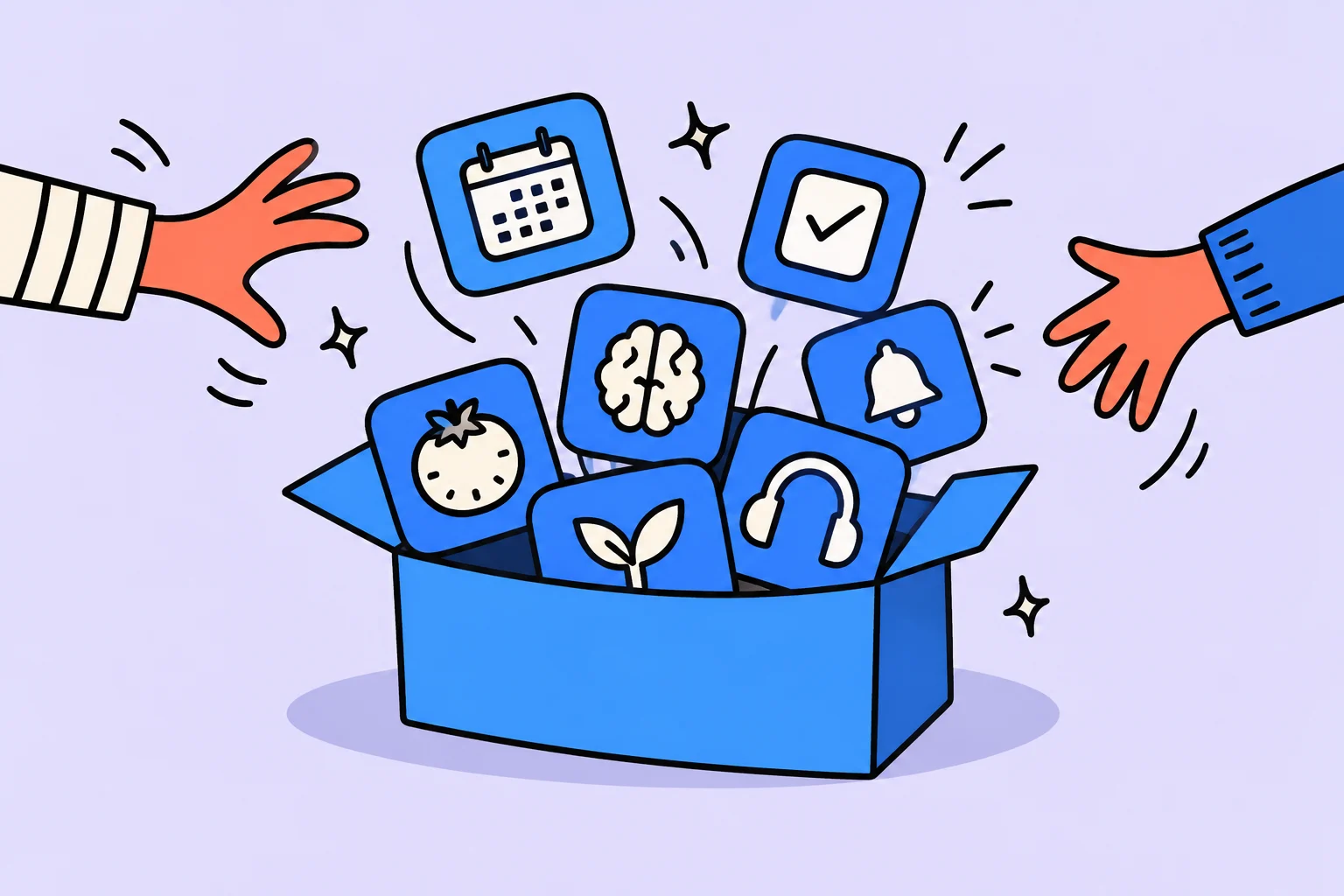
A person with ADHD faces a paradox every day: knowing what needs doing but being unable to make themselves start. Planning falls apart, tasks are forgotten, and routine becomes chaos. The right app can provide external support for executive functions, something the ADHD brain cannot supply on its own. However, apps are not equally useful: many are designed for neurotypical people and make life with ADHD more complicated rather than helping.
In this review, we tested dozens of ADHD apps and selected the 12 best tools that really work for people with ADHD. We divided them into categories: task managers, habit trackers, focus timers, distraction blockers, and body-doubling apps. Each gets an honest review with advantages, disadvantages, and a recommendation on whom it suits.
people with ADHD abandon complex apps within a week
improvement in executive functions with regular app use
maximum time to add a task for ADHD
higher engagement with messenger integration
ADHD apps: what to look for when choosing
Before diving into reviews of specific tools, let us explore how apps for ADHD differ from ordinary productivity apps. The ADHD brain works differently: dopamine deficiency leads to motivation problems, working memory is limited, and time perception is distorted. An app should compensate for these characteristics rather than exacerbate them.
When choosing, we evaluated interface simplicity (the simpler, the better), task-entry speed (under 10 seconds), push notifications and reminders, visual appeal (with ADHD, aesthetics are critical for motivation), Russian-language support, and cost.
The main criterion is minimal friction. If an app requires complex setup, multistep data entry, or constant maintenance, a person with ADHD will abandon it within a week. A University of California study (2024) found that each additional step in adding a task reduces the likelihood of regular use by 23%.
Here are the key characteristics to look for:
- Quick entry: adding a task or checking in a habit takes no more than 2–3 taps
- Smart reminders: the app must reach you rather than wait silently
- Visual progress: streaks, charts, and progress bars: anything that provides instant feedback
- Forgiveness for missed days: the system should not reset because of one bad day
- Minimal setup: works out of the box without hours of configuration
If you are interested in a broader view of organizing life with ADHD, we recommend our article How to organize life with ADHD, where we examine systems and strategies beyond apps in detail.
Task managers for people with ADHD: a detailed review
A task manager for ADHD is perhaps the first tool worth introducing. Working memory is limited with ADHD, and tasks literally fall out of your head. An external task-storage system reduces the brain's load and lets you concentrate on doing rather than remembering.
How to organize the next step in Sinqly
Choose one scenario you want to simplify and evaluate it in a small trial.
The main advantage is Telegram integration. You do not need to open a separate app: all reminders, check-ins, and interactions happen in the messenger you already use daily. Write to the bot, “buy milk tomorrow at 10,” and a task is created with a date and reminder. The AI coach adapts to your style: if you miss a couple of days, it gently reminds you rather than showering you with blame.
The gamification system is designed to support dopamine-based motivation: streaks, levels, and achievements without excessive complexity. Advantages: a simple interface, Telegram bot, AI coach, Russian language, and a single system for everything. Disadvantages: a relatively new app with no desktop version yet.
Todoist: a classic task manager for ADHD
Todoist is one of the world's most popular task managers, for good reason. It offers a simple, elegant interface, fast natural-language task entry (“call the doctor tomorrow at 15:00”), and cross-platform support. Its Today view is particularly useful for people with ADHD: you see only today's tasks rather than an endless list that triggers anxiety and paralysis.
Color-coded priorities (red, orange, blue, or no color) help visually highlight what matters. The karma system awards points for task completion, a useful source of dopamine. However, Todoist is purely a task manager: it has no habit tracker, AI support, or coaching. A detailed comparison is in the article Sinqly vs Todoist.
Notion: for people who enjoy customization
Notion is a powerful platform for notes and organization. For ADHD it is a double-edged sword: you can create the perfect system, but setup can become endless procrastination, sometimes called productivity porn. You spend hours building beautiful databases and templates without ever starting to use them.
If you do choose Notion, use ready-made ADHD templates from the community instead of trying to build a system from scratch. Advantages: unlimited customization, an attractive interface, and free personal use. Disadvantages: considerable setup effort, no built-in push reminders, and the ease of slipping into endless system optimization. Read more in our Sinqly and Notion comparison.
A meta-analysis Journal of Medical Internet Research (2023) found that mobile apps for managing ADHD improve executive functions by 42% when used regularly for at least 3 weeks. The key success factors are interface simplicity and push notifications. Apps without push reminders proved 3 times less effective.
Habit trackers for ADHD: which to choose
A habit tracker with ADHD serves as external working memory. Without a tracker, routine actions such as taking medication, drinking water, and exercising are forgotten because the ADHD brain does not retain them in the background. The tracker takes over: it reminds you, records completion, and shows progress.
Habitica: a gamified habit tracker for ADHD
Habitica turns life into an RPG. You create a character who earns experience and gold for completing tasks and habits and loses health for missed actions. You can buy equipment, join quests with friends, and adopt pets. For people with ADHD who need novelty and game elements for motivation, it can be an excellent solution, at least for the first few months.
Habitica's problem is habituation. After 2–3 months, the novelty of RPG elements wears off, and without internal motivation the system falls apart. Its interface also looks dated, and the Russian translation is incomplete. Nevertheless, Habitica is entirely free, a significant argument in its favor. A detailed comparison is Sinqly vs Habitica.
Routinery: step-by-step morning and evening rituals
Routinery solves one specific ADHD problem: inability to finish a morning or evening routine. The app guides you through each step with a timer: “brush teeth: 2 min,” “make breakfast: 10 min,” “take medication: 1 min.” You do not have to think about what comes next: the app switches to the next step itself.
For people with ADHD who get lost midway through a morning routine, entering the bathroom to brush their teeth, noticing a spot on the mirror, starting to wipe it off, and discovering themselves sorting a cupboard 40 minutes later, Routinery acts as an external dispatcher. Disadvantages: narrow functionality (rituals only) and a paid subscription.
Streaks: a minimalist tracker for iOS
If you want the simplest possible habit tracker for ADHD without extra features, Streaks is an excellent choice for Apple users. Its interface is 12 circles on one screen. Tap a circle and the habit is complete. No nested menus, categories, or statistics. Apple Health integration automatically logs steps and sleep. Disadvantages: iOS only and a maximum of 12 habits.
A tip for ADHD: start with 3–4 habits in your tracker, no more. The temptation to add 15 items immediately is enormous, but it is a route to failure. After 2 weeks of successful tracking, add one more habit. For more on how habits work with ADHD, read the article Dopamine and motivation with ADHD.
Timers and distraction blockers for ADHD
Time blindness is one of ADHD's most exhausting symptoms. You feel as if 10 minutes have passed, but the clock shows two hours. Or the reverse: a 5-minute task feels endless. Timers and blockers help create an external time structure that the ADHD brain cannot provide on its own.
Forest: a focus timer with visual motivation
Forest uses the metaphor of growing a tree: while you focus, the tree grows. If you pick up your phone, the tree dies. It is a simple but effective visualization for maintaining focus. Over time, you grow an entire forest, and every tree represents a completed concentration session. Using the coins you earn, Trees for the Future plants real trees, a pleasant bonus.
For people with ADHD, Forest works through a sense of responsibility for a living tree. Disadvantages: it is only a timer and does not help organize life as a whole. Also, if ADHD is severe, a 25-minute timer may be too long: start with 10-minute sessions.
Cold Turkey Blocker: a strict distraction blocker
Cold Turkey is the most uncompromising website and app blocker on the market. Once a block is activated, you cannot disable it before time runs out, even by restarting the computer or uninstalling the app. For an ADHD brain that easily bypasses soft blockers by disabling extensions, opening incognito mode, or switching to a phone, this is the only option that really works.
The free version blocks websites only. The paid version (a one-time purchase of about $39) adds app blocking and scheduling. It works only on desktop (Windows/Mac). Mobile alternatives are Opal (iOS) and Digital Wellbeing (Android).
Structured: a visual planner to tackle time blindness
Structured displays your day as a colored timeline, making it clear how much time each activity takes and how much empty time remains. This helps tackle typical ADHD problems: overestimating free time, tasks spreading out, and inability to estimate how long things take.
The app works as a hybrid of a calendar and a to-do list. Each task has a start time and duration, creating a visual map of the day. For people with ADHD who process information better visually, this is far more effective than a text list.
Apps for body doubling and social accountability with ADHD
Body doubling is one of the most effective ADHD techniques, endorsed by CHADD (Children and Adults with ADHD). The idea is simple: when someone nearby is working, it is easier for you to concentrate too. Another person's presence creates social pressure that compensates for a lack of internal motivation.
Focusmate: virtual body doubling for ADHD
Focusmate connects you to a video session with a stranger from anywhere in the world. At the start, you share your tasks for the next 25 or 50 minutes, then work alongside each other with cameras on. At the end, you briefly share results. The free plan offers 3 sessions per week.
For people with ADHD, Focusmate acts as an external observer: you do not want to look bad in front of another person, so you actually work rather than switch to YouTube. According to Focusmate itself, 92% of users report increased productivity. Disadvantages: a camera is required, it does not suit every introvert, and the free plan is limited.
Flown: coworking for neurodivergent people
Flown is a virtual coworking platform focused on neurodivergent users. Unlike Focusmate, it offers different formats: quiet hours (working without conversation), facilitated group sessions, and series of sprints. Its Flocks feature provides stable groups of 4–6 people who work together regularly. For ADHD, this creates a sense of team and responsibility.
If body doubling with strangers feels uncomfortable, try silent body doubling: arrange a Zoom call with a friend, turn off your microphones, and each work on your own tasks. The mere fact that someone is nearby increases focus with ADHD by 40–60%.
Brain.fm: neural music for concentration
Brain.fm is not exactly a body-doubling app, but it deserves mention as a tool for a social-auditory context. It is a music service developed on the basis of neuroscience research: special sound patterns stimulate sustained attention. Many people with ADHD report significantly improved focus compared with ordinary music or lo-fi streams.
The service offers focus, relaxation, and sleep modes. With ADHD, Deep Work mode with neural stimulation is particularly useful. Cost: about $50/year, with a free trial available.
Comparison table of the best ADHD apps
To make choosing easier, we compiled a summary table of all the best ADHD apps in our review. Ratings use a 5-point scale, where 5 means ideal for ADHD.
Sinqly
Tasks with descriptions of the outcome, planned dates, and completion. Registration is free; check the conditions for your particular scenario separately.
Todoist
A classic task manager with quick entry. Simplicity: 4/5. For ADHD: 3/5. Price: free / from $4/month.
Habitica
An RPG habit tracker with gamification. Simplicity: 3/5. For ADHD: 4/5. Price: free.
Forest
A focus timer with tree growing. Simplicity: 5/5. For ADHD: 3/5. Price: about 300 rubles once.
Focusmate
Virtual body doubling through video. Simplicity: 4/5. For ADHD: 5/5. Price: free / $5/month.
Routinery
Step-by-step morning/evening rituals. Simplicity: 5/5. For ADHD: 4/5. Price: free / $5/month.
Structured
A visual day planner. Simplicity: 4/5. For ADHD: 4/5. Price: free / $3/month.
Cold Turkey
A strict website and app blocker. Simplicity: 4/5. For ADHD: 5/5. Price: free / $39 once.
Brain.fm
Neural music for concentration. Simplicity: 5/5. For ADHD: 4/5. Price: about $50/year.
Notion
A powerful organizational platform. Simplicity: 2/5. For ADHD: 2/5. Price: free.
Flown
Virtual coworking for neurodivergent people. Simplicity: 4/5. For ADHD: 4/5. Price: from $29/month.
Streaks
A minimalist habit tracker (iOS). Simplicity: 5/5. For ADHD: 3/5. Price: about $5 once.
How to stick with an app: tips for people with ADHD
Choosing an app is half the battle. The real challenge is continuing to use it a week later, once the novelty wears off. This is a matter of strategy rather than willpower, which works differently with ADHD. Here are proven approaches that help you stick with it:
1. The one-app rule. Do not download all 12 tools in this review at once: that is a typical ADHD trap. Choose one app from one category. Use it for at least 3 weeks before evaluating it. After 3 weeks, decide whether it helps. If it does, add a second app from another category.
2. Fit it into an existing routine. Instead of creating a new ritual of opening an app, connect its use to something you already do. This is why a Telegram bot works better than a separate app: you already open the messenger dozens of times a day.
3. Lower the bar to a ridiculously small level. Instead of a 45-minute workout, set a habit of putting on your sneakers. Instead of 20 minutes of meditation, try 1 minute of breathing. The ADHD brain resists large tasks, while small ones slip through without resistance. Read more in the article ADHD and productivity.
Do not confuse boring with ineffective. With ADHD, an app stops being interesting after 5–7 days: this is normal. It does not mean it is bad or that you need a new one. Continue using it on autopilot, even if you do not feel motivated. A study ADDitude Magazine found that a habit takes 66 days to establish with ADHD, compared with 21 days for neurotypical people.
A step-by-step guide: how to choose and set up your first ADHD app
Identify your main difficulty
What gets in your way most right now? If you forget tasks, you need a task manager. If you cannot start work, you need body doubling or a timer. If you cannot get ready in the morning, you need Routinery. Do not try to solve everything at once.
Choose one app from the relevant category
Use our comparison table above. If unsure, start with Sinqly (a comprehensive solution) or Todoist (if you only need a task manager).
Set it up in 5 minutes, no more
Add 3–5 tasks or habits. Create a working system rather than a perfect one. Enable push notifications. Set 2–3 reminders for key moments of the day.
Use it for at least 3 weeks without a break
Set a calendar reminder for day 21: evaluate the app. Until then, simply use it, even if it becomes boring. That is normal.
Evaluate the result and adjust
After 3 weeks, ask yourself whether completing tasks/habits has become easier. If yes, great: continue and add a second tool if you wish. If not, try another app in the same category.
Which app features are especially important for the ADHD brain
App features are not equally useful with ADHD. Some features neurotypical people consider basic are critical for people with ADHD, while some advanced features actually cause harm.
Push notifications: critical. Without reminders, an ADHD app is useless. The ADHD brain will not remember a task by itself: it needs an external signal. Apps without push notifications (such as basic Notion) are 3 times less effective, according to JMIR research.
Visual progress: important. Streaks, progress bars, and charts all provide the instant dopamine feedback the ADHD brain lacks. When you see a streak of 14 days, you do not want to break it. This works like external dopamine, compensating for an internal deficit.
Too many settings: harmful. Each additional setting is a decision to make. Decision-making is already difficult with ADHD (decision fatigue). The fewer options, the better. The most effective apps for ADHD follow the principle of setting it up in 5 minutes and forgetting about it.
Forgiveness for missed days: critical. If one missed habit resets all progress, a person with ADHD will abandon the app after the first bad day.
ADHD signs that apps help compensate for
To choose the right tool, it helps to understand which signs of adult ADHD can be compensated for with apps, and which require other approaches.
- Forgetfulness — task managers with push notifications (Sinqly, Todoist)
- Procrastination — body doubling (Focusmate, Flown) and timers (Forest)
- Time blindness — visual planners (Structured) and timers
- Impulsive distraction — blockers (Cold Turkey) and neural music (Brain.fm)
- Inability to start a routine — step-by-step apps (Routinery)
Please note: apps compensate for symptoms but do not treat ADHD. If you suspect ADHD, consult a psychiatrist for diagnosis. Apps are most effective in combination with medication and/or cognitive behavioral therapy.
According to the WHO, ADHD affects about 5% of children and 2.5% of adults worldwide. Meanwhile, up to 80% of adults with ADHD in Russia do not know their diagnosis. Digital self-help tools do not replace professional treatment, but significantly improve quality of life with regular use.
App combinations: optimal sets for ADHD
Once you have mastered one app (at least 3 weeks of regular use), you can add a second from another category. Here are proven combinations:
For remote workers: Todoist (tasks) + Focusmate (body doubling) + Cold Turkey (blocking). This combination addresses the three main problems of remote work with ADHD: forgetting tasks, inability to start, and distraction by social media.
For students: Structured (day planning) + Brain.fm (focus) + Habitica (gamified learning). Structured helps distribute time between classes, homework, and rest; Brain.fm creates a working atmosphere; Habitica turns studying into a game.
Frequently asked questions about ADHD apps
Which app is best for ADHD?
The best app for ADHD is the one that requires the least effort to use.
Why do people with ADHD abandon productivity apps?
Research suggests that up to 80% of people with ADHD abandon complex apps in the first week. The main reasons are an overly complex interface, lengthy setup, lack of instant rewards, and, of course, the novelty effect wearing off. With ADHD, a new app causes a dopamine spike that quickly passes, and the brain seeks its next source of stimulation. The key is to get through this dip and continue using it on autopilot.
Can you use several apps simultaneously with ADHD?
Yes, but with limits. Start with one app and use it for at least 2–3 weeks. Then add a second, always from a different category, such as a task manager plus a focus timer. Using more than three apps simultaneously creates cognitive overload and increases the likelihood of abandoning them all.
How does a habit tracker help with ADHD?
A habit tracker compensates for weak working memory, one of ADHD's main difficulties. Push reminders help you remember routine tasks such as taking medication or exercising. Visual streaks provide dopamine reinforcement at each check-in. Reports show progress that would otherwise go unnoticed: with ADHD, people often feel they are doing nothing, even when they are actually moving forward.
What is body doubling, and which apps support it?
Body doubling is a technique in which another person's presence, even virtually, helps you stay focused. It is particularly effective for ADHD because it creates external accountability. Focusmate (3 free sessions/week) and Flown (paid, from $29/month) offer virtual sessions with productivity partners through video calls.
Which timer is better for ADHD: Pomodoro or something else?
Classic 25-minute Pomodoro sessions do not suit everyone with ADHD. If you enter hyperfocus, interrupting it after 25 minutes is counterproductive: you lose your flow and cannot return. Start with short 10–15-minute intervals to reduce the barrier to starting, and experiment with duration. Forest is useful because it lets you choose any interval from 10 to 120 minutes.
Do apps replace ADHD treatment?
No. Apps are compensation tools rather than treatment. They help manage symptoms but do not eliminate the cause. If you suspect ADHD, consult a psychiatrist for diagnosis. The most effective approach is comprehensive: medication, cognitive behavioral therapy, and digital self-help tools.
Turn an idea into action
Was this helpful?
Rate the article and tell us what was missing. Your feedback goes to the Sinqly team and will not be published on the site.
Dopamine and motivation with ADHD: using neurochemistry for productivity
How the dopamine system works with ADHD. 7 strategies for managing motivation through neurochemistry: gamification, stacking, micro rewards, and physical activity.
How to organize life with ADHD: a complete guide to systems and practical tips
A complete guide to organizing life with ADHD. Proven planning systems, practical tips, tools, and habits for people with attention deficit hyperactivity disorder.
Productivity for People with ADHD: The Complete 2026 Guide
A complete ADHD productivity guide. 15 established strategies, tools and techniques for people with attention difficulties, from ADHD experts.