Tasks and projects
Create tasks, organize them into projects and plan work by due date and status.
What you can do
Tasks and subtasks
Record individual actions and break large tasks into smaller steps.
Projects
Group related tasks: work, personal plans or a shared project.
Due dates and statuses
Set a date and update the status as work progresses.
Views
Work with a task list, board or calendar.
Planning a personal project
“Finish portfolio” is in progress. Signing up for Spanish is planned for tomorrow, and reading is already marked complete.
For work and personal tasks that need a clear plan.
How to use it
Gather your tasks
Add a task by typing or speaking. Give it a title that makes the action clear.
Set the context
Choose a project and due date. Break a large task into clear steps.
Record the result
Update the status as you work. The list and board show different views of your tasks.
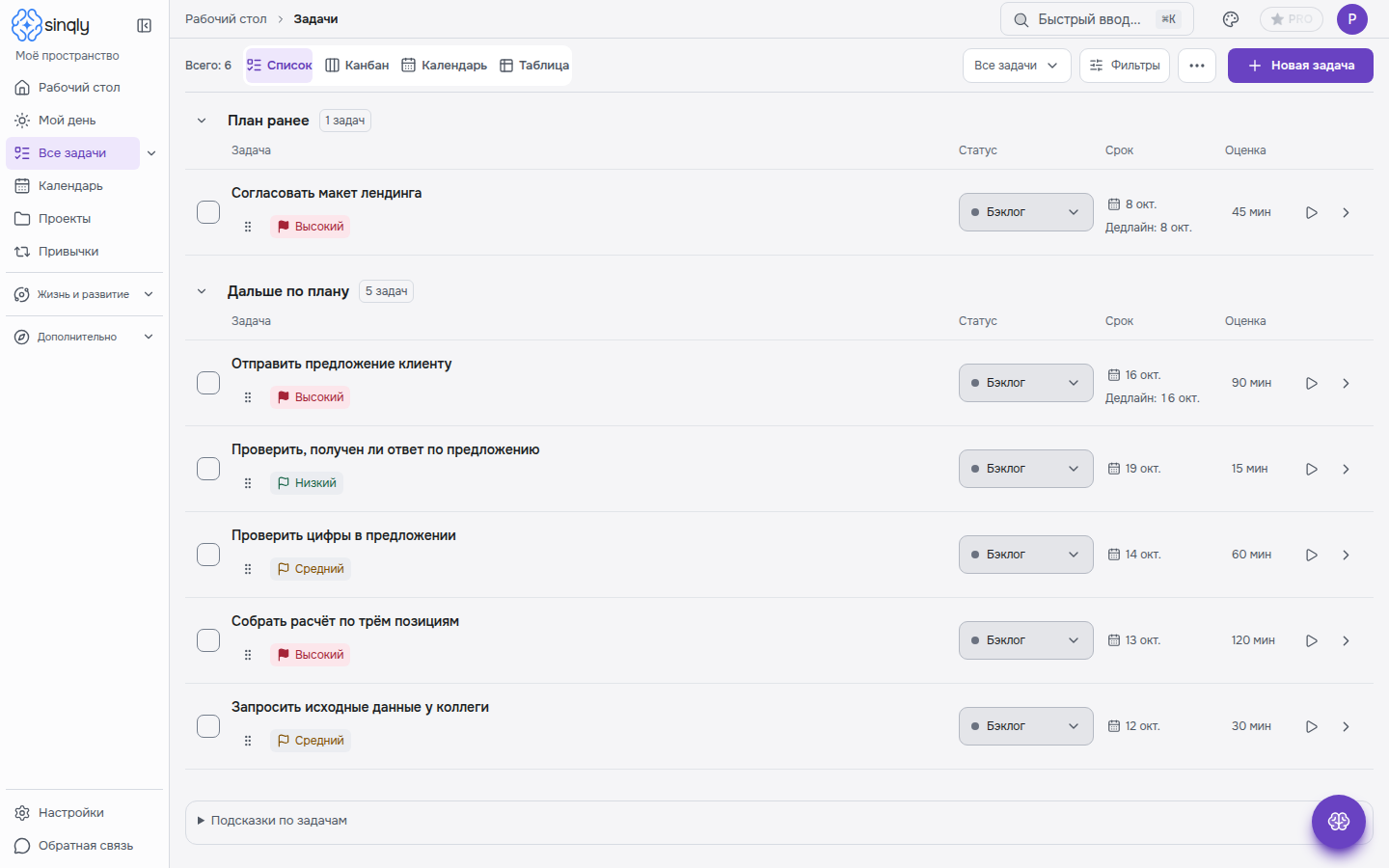
What the task list looks like
The real Sinqly interface, with Russian demonstration data.
 Open image ↗
Important details
Use projects to separate work and personal tasks. Access to shared projects depends on membership and role.
Where should I start if I already have lots of tasks?
Create one project and move only the tasks that still matter. Define the next action for each task.
Can I add tasks by voice?
Yes. Voice input helps you formulate a task. Check the recognized text and suggested fields before saving.
Where can I find access conditions?
Available features and limits are listed in the plans. Sinqly has a free plan; sign in through Telegram.