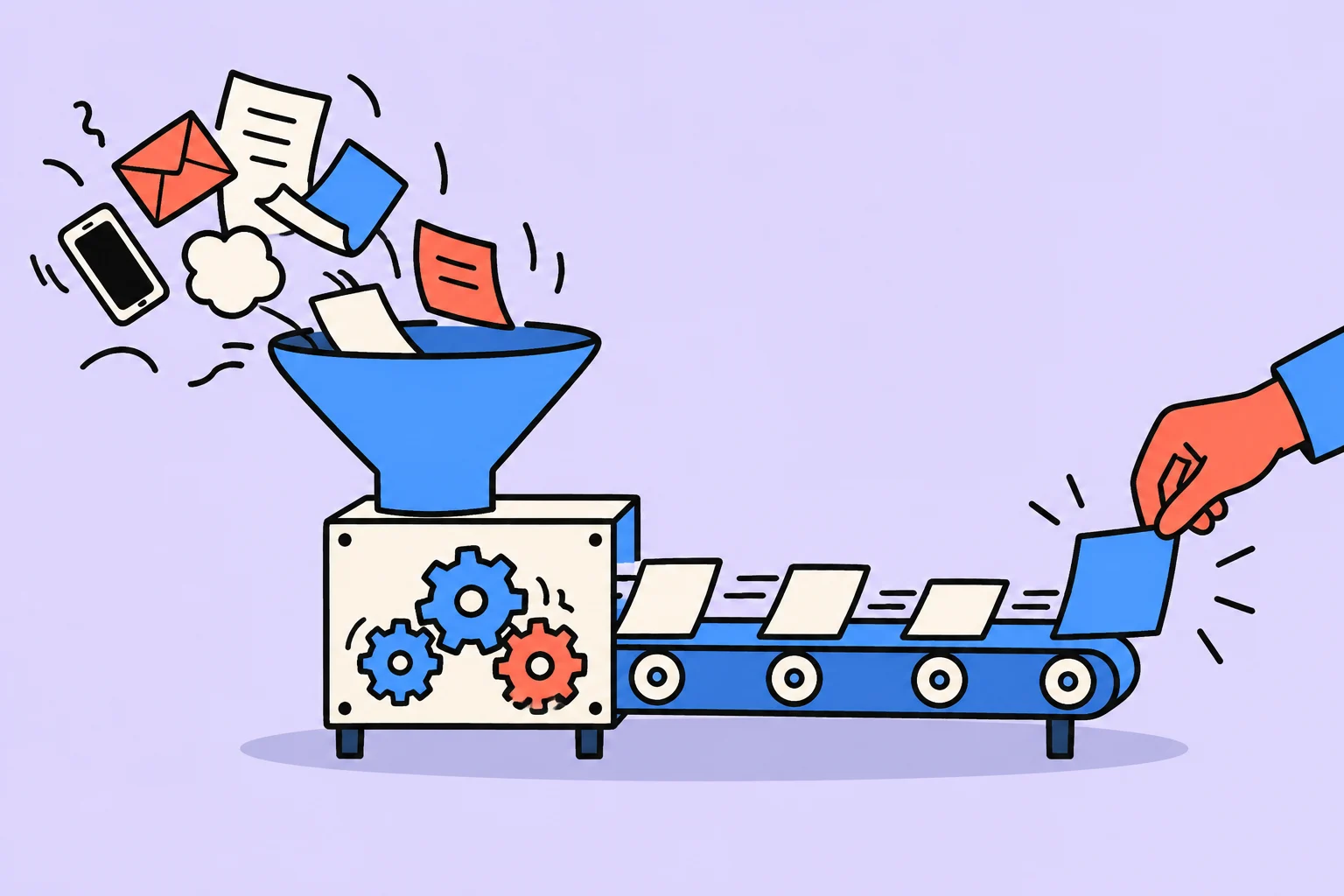
GTD (Getting Things Done) is David Allen's system for planning and managing commitments. It helps turn scattered entries into clear decisions: what requires action, what outcome you want, and which specific step you can take next. The work has five stages: capture, clarify, organize, reflect, and engage.
If you decide to start practicing GTD, the first step is to record the things taking up your attention in an inbox. You do not yet need to choose an app, set priorities, or assign dates to everything. Capture the entries first, then process each using the diagram below. The system's reliability depends on returning to your lists.
GTD diagram: five steps in the planning system
From an incoming item to action
Capture: record what requires your attention in an inbox.
Clarify: decide whether action is needed. If so, identify the next step; if several steps are needed, record the project's outcome.
Organize: put the reminder in the appropriate list — next actions, waiting for a response, projects, or calendar.
Reflect: check entries regularly; update projects and next actions during the weekly review.
Engage: choose an available action based on context, time, energy, and priorities.
- No action needed? Delete the entry, keep it as reference material, or defer it to “Someday/Maybe.”
- Action needed? Name the specific next step. If it takes less than two minutes, do it while processing your inbox.
- Will someone else do the step? Delegate it and record the response you are waiting for in your waiting-for list.
- Is there a commitment tied to a specific date or time? Use the calendar. Leave other available steps in your next actions list.
The five stages are described on the official GTD website, and criteria for choosing an action appear in the Choosing what to do guide.
A GTD example: from “prepare a presentation” to the next step
Below is an editorial learning example, rather than a research finding. Imagine you promised to show the team a project presentation on Friday at 15:00.
- Inbox: record “Prepare the project presentation.” This is the initial entry, which still needs clarification.
- Project: define the outcome: “The presentation is approved and shown to the team.” Several actions are involved, so one entry does not replace a project plan.
- Next action: “Write to my colleague and request the final figures.” This can be done now; “prepare a presentation” is too broad for one step.
- Organization: after sending the email, record “Waiting for final figures from my colleague” in waiting-for. Put Friday's presentation at 15:00 in the calendar. Keep “Create the slide outline” among next actions; in this example, it has no fixed time.
- Engage and review: if a computer, time, and energy are currently available, create the outline. During the weekly review, check the project's outcome, your colleague's response, and the next step; if the response is needed sooner, check the waiting-for item before Friday's meeting.
A project describes an outcome, a next action describes a specific step, the calendar holds time commitments, and waiting-for records dependence on another person. This separation shows what you can do now without assigning arbitrary dates to everything.
How the GTD method works
GTD stands for Getting Things Done, literally bringing things to completion. It is not just another time management technique, but a complete system for processing incoming information. Unlike methods such as the Pomodoro Technique, which addresses focus while carrying out a task, GTD covers the entire cycle from the moment an idea or task appears to completion or a conscious decision to drop it.
David Allen identifies five steps: Capture, Clarify, Organize, Reflect, and Engage. Each handles a stage of working with information. They connect capturing entries with choosing a next action. To remain useful, lists need regular checking and updating.
It is important to understand that GTD is not about doing more. It is about doing the right things with a clear head. The system can be used for work and study projects, but should be adapted to your commitments, available time, and familiar tools.
In Masicampo and Baumeister's studies (2011), making specific plans for unfinished goals reduced associated cognitive interference under the experimental conditions studied. This did not test GTD as a complete system and does not prove guaranteed productivity gains or reduced anxiety. Read more in the study abstract.
GTD step 1: Capture — get everything out of your head
The first and most important GTD step is to collect absolutely everything occupying your attention in one place. This is called a brain dump. Tasks, ideas, promises, dreams, worries, and reminders — everything going around in your head must be recorded. Do not analyze, prioritize, or sort: just write.
Allen recommends minimizing collection points, or inboxes. Ideally, use one or two: for example, a physical notebook for thoughts on the go and an app for digital tasks. Fewer entry points make the system more reliable. If you have notes in three messengers, two notebooks, and on sticky notes, something is bound to get lost.
How to do your first brain dump
Set aside 30-60 minutes in a quiet place without distractions
Open a blank document or take a stack of blank paper
Write down everything that comes to mind: tasks, promises, ideas, worries, projects
Work through triggers: work, home, health, finances, relationships, learning, hobbies
Check email, messengers, and notes: record anything requiring action
Keep going until your head feels “empty”: this is normal
Result: a list of 50-300 items is normal for a first attempt
Typical capture triggers include unread emails, unfinished conversations, promises to friends, work tasks, household chores, health, such as booking a doctor's appointment, finances, such as paying a bill, learning, such as taking a course, and hobbies, such as repairing a bicycle. Most people collect between 50 and 300 items on their first brain dump. This is normal, and one of the most liberating moments in the entire method.
During capture, no item is “silly” or “insignificant.” Even record “buy batteries” and “think about the meaning of life.” If it occupies space in your head, it belongs in the system. Filtering happens at the next step. Right now, your only task is to empty your head completely.
GTD step 2: Clarify — what should you do with it?
After capture, process each item using a decision-making algorithm. Take the first inbox item and ask: “What is this? Does it require a specific physical action?” The answer determines what happens to the item next.
If action is not required, there are three options: delete it if no longer relevant, keep it as reference material if it is useful information rather than a task, or defer it to “Someday/Maybe” if you want it, but not now. If action is required, identify the specific next physical step. Instead of “sort out the project,” write “call Ivan and clarify the requirements” or “open Google Docs and write the report's first paragraph.”
This is where the famous two-minute ruleapplies: if the next action takes less than two minutes, do it immediately. Do not record, schedule, or defer it. Reply to a short email, confirm a meeting, take out the trash: do it now. Read more about the power of immediate actions in the article the two-minute rule and micro habits.
If a task takes more than two minutes, you have three options: do it yourself, adding it to “Next Actions”; delegate it, adding it to “Waiting For” with whom you delegated it to and when; or defer it to a specific date in the calendar. The key principle: process each item once. Repeatedly rereading your inbox wastes energy.
GTD step 3: Organize by lists and contexts
After clarification, distribute all items into clear categories. The classic GTD system uses these lists:
- Next Actions — specific physical steps you can take right now
- Projects — any outcome requiring more than one action to complete
- Waiting For — tasks delegated to other people, with a date and responsible person
- Someday/Maybe — ideas and wishes without specific deadlines
- Calendar — only events tied to a specific date and time
- Reference — useful information that requires no action
Allen particularly insists that the calendar should contain only tasks firmly tied to a time: meetings, deadlines, and calls at a specified hour. If a task can be done on any day, it belongs in “Next Actions,” rather than the calendar. Otherwise, the calendar becomes an unrealistic wish list you stop trusting.
To make execution convenient, Allen suggests grouping “Next Actions” by context: @computer, @phone, @home, @office, @store, @meeting. At the store, open @store and see everything you need to buy. At your computer, see tasks requiring a computer. This eliminates time spent filtering.
GTD step 4: Weekly review — the heart of the whole system (Reflect)
If asked to choose just one part of GTD, I would choose the weekly review. Without it, the system dies within 2-3 weeks. Lists become outdated, tasks pile up in the inbox, projects are forgotten, and you return to storing everything in your head. The weekly review is a required ritual that supports the whole structure.
The GTD weekly review process
Clear every inbox: email, messengers, notes, and voice messages; process everything using the algorithm
Review “Next Actions”: mark completed items and update the remainder
Check every project: does it have a defined next action?
Review “Waiting For”: remind people you delegated to, if needed
Review last week's and next week's calendars: have any commitments been missed?
Look at “Someday/Maybe”: has anything become relevant?
Do a mini brain dump: have any new tasks or ideas appeared this week?
A weekly review takes 30-60 minutes. The best time is Friday afternoon or Sunday evening. Choose a convenient slot and put it in the calendar as a recurring event. Many GTD practitioners consider the weekly review the system's most enjoyable part: afterward, they feel fully in control and quietly confident. Read more about planning your week in the article how to plan your day effectively.
Without regular checking, lists can become outdated. If you missed a review, start with a short check of your inbox and active projects: remove completed items and identify the next actions. Then return to your usual review.
GTD step 5: Engage — choosing what to do right now
When the system is set up and current, choosing the next action becomes intuitive. Allen proposes four decision criteria:
- Context — where are you, and what tools are available? On the subway without a laptop, “write a report” is impossible
- Available time — how many free minutes do you have before the next event? 5 minutes is one thing; 2 hours is another
- Available energy — are you fresh and focused, or tired? Difficult tasks require high energy
- Priority — among the remaining suitable tasks, which will bring the greatest benefit?
Notice that priority is the last criterion. Most productivity systems start with prioritization, but Allen believes you should first filter by actual constraints. If you have 10 minutes and little energy, there is no point choosing between strategic projects. Choose something simple from the appropriate context and do it.
This approach combines well with the Deep Work method: when you have a block of free time and high energy, immerse yourself in deep work. When time and energy are limited, do small tasks from your context lists.
The two-minute rule in GTD: small tasks do not accumulate
The two-minute rule is one of GTD's most recognizable ideas and deserves its own explanation. If the next action takes less than two minutes, do it immediately without recording it in the system. Why two minutes? Because recording, organizing, and later doing the task would take longer than the task itself.
Examples of two-minute tasks: reply to a simple email, confirm a meeting, take out the trash, water plants, forward a document, or save a file in the correct folder. Each is small on its own. But 20 such tasks accumulated in a day create a sense of overload and consume disproportionate mental energy.
An important qualification: the two-minute rule applies only while processing your inbox, rather than throughout the day. If you are working on a complex project in deep work, do not switch to every incoming email, even if replying would take a minute. Give inbox processing its own slots, for example 3 times a day for 15 minutes.
The Natural Planning Model for projects in GTD
Alongside the five main steps, Allen proposed the Natural Planning Model for working on projects. The idea is that our brains plan naturally, and the method simply formalizes this process into five stages:
- Define purpose and principles — why are we doing this? What values and constraints apply?
- Visualize the outcome — what does success look like? What will happen when the project is complete?
- Brainstorm — generate ideas without criticism; all options are welcome
- Organize — structure ideas, identify key steps, and determine their sequence
- Identify the next action — what specific physical step moves the project forward?
This model works for any project, from organizing a vacation to launching a new product. It is particularly useful when a project is stuck: returning to outcome visualization or doing a fresh brainstorm often reveals a way forward. For complex projects, combining natural planning with time management and time blocking is helpful.
Common mistakes when implementing GTD and how to avoid them
Over GTD's 25 years, millions of people have tried implementing it, and many have given up. These are the most common mistakes that kill the system:
Mistake 1: an overly complicated system from day one. You buy three apps, create 15 lists, draw a mind map, and spend the weekend setting things up. A week later, you abandon everything. Start with one app, three lists — inbox, next actions, and projects — and the two-minute rule. Add complexity gradually.
Mistake 2: vague task descriptions. “Sort out the project,” “think about vacation,” and “resolve the client issue” are projects rather than tasks. A GTD task is a specific physical action: “call Ivan and discuss the requirements,” “open Booking.com and choose 3 hotels,” or “email the client suggesting a meeting.” If you cannot picture the next physical step, you need a brainstorm.
Mistake 3: skipping weekly reviews. We discussed this above, but it bears repeating: without reviews, the system deteriorates within 2-3 weeks. Create a recurring calendar event and protect this time like an important meeting.
Mistake 4: perfectionism. GTD is a working tool, rather than a perfect system you must never break. If you missed a review, do it tomorrow. If the inbox has grown to 100 items, process the 20 most important and leave the rest for tomorrow. Imperfect GTD is better than no system.
Mistake 5: trying to make others live by GTD. The system works for you personally. Do not force colleagues and family to follow your context lists. Use GTD to manage your own commitments, and interact with other people normally.
GTD and digital tools: choosing an app
David Allen developed GTD in the era of paper organizers, but today most practitioners use digital tools. A good GTD app should support projects, context tags or lists, a fast inbox, recurring tasks, and convenient mobile access.
Popular options: Todoist (simple and flexible), OmniFocus (powerful, but Apple-only), Things (beautiful, but Apple-only), and Notion (flexible, but requires setup). In Sinqly, you can record tasks by text or voice and mark them complete. Choose your own lists and review process to suit your commitments.
Keep the number of collection points manageable, for example a notebook and a digital inbox. Know where unprocessed entries are and clarify each collection point regularly. If tasks arrive through email or messengers, decide when to process them and where to put next actions; forwarding everything into one inbox is optional.
Do not search for the “perfect” app: it does not exist. Choose one that opens in 2 seconds, works on all your devices, and needs little setup. Try 2-3 options over a week and settle on one. Switching tools is productivity's main enemy. Read more in our article how to overcome procrastination.
GTD compared with other productivity methods
GTD is often compared with other popular systems. Here are the key differences:
GTD vs Pomodoro. The Pomodoro Technique is a method of managing focus during work: 25 minutes of work + a 5-minute break. GTD manages the entire flow of tasks. They complement each other beautifully: GTD determines what to do, while Pomodoro helps with how to do it.
GTD vs the Eisenhower Matrix. The matrix divides tasks into 4 quadrants based on urgency and importance. GTD does not directly use this prioritization, but context lists and the four execution criteria solve the same problem differently. You can combine them: use the matrix for high-level project prioritization within GTD.
GTD vs Time Blocking. Time blocking, assigning specific time slots to tasks, conflicts with classic GTD, which reserves the calendar for fixed commitments. But many modern GTD practitioners successfully combine both: context lists for flexible tasks + time blocks for deep work.
GTD vs Bullet Journal. Bullet Journal is an analog system with rapid logging. Its spirit is close to GTD — capture, clarification, review — but it is less formalized. Many people use Bullet Journal as their physical GTD inbox.
The conclusion: GTD is a framework into which you can integrate other techniques. Its unique strength is the complete information-processing cycle.
GTD for different professions: who the system suits
GTD is universal, but its implementation depends on profession and lifestyle. Here is how to adapt it to different contexts:
Developers and IT professionals are an ideal GTD audience. Many parallel projects, incoming tasks from Jira, Slack, email, and meetings. Contexts: @code, @review, @meeting, @documentation. Integrating GTD with git workflows and task trackers has a powerful effect.
Managers and leaders are Allen's primary target audience. Huge numbers of delegated tasks make “Waiting For” the main list, alongside many meetings and strategic projects. GTD helps avoid drowning in operations and maintain strategic focus.
Freelancers and entrepreneurs use GTD to separate roles — marketer, practitioner, accountant — through contexts and projects. When you are your own boss, an external control system is particularly important.
Students can use GTD to structure studying effectively: projects = subjects, next actions = specific study tasks. The weekly review helps avoid missed deadlines. Read about organizing a study day in the day-planning guide.
People with ADHD may find GTD either a lifeline or a problem. External structure and relief for working memory are exactly what ADHD calls for. But the system's complexity can be intimidating. Recommendation: start with minimal GTD — inbox + next actions + the 2-minute rule — and add elements gradually.
A practical 30-day GTD implementation plan
Implementing GTD is a marathon rather than a sprint. Here is a realistic month-long plan to build the habit without overload:
Week 1: Capture and minimal clarification. Do your first brain dump. Set up one app as the main inbox. Process it using the GTD algorithm every morning. Apply the two-minute rule. Keep it simple: three lists are enough.
Week 2: Contexts and projects. Add context tags to tasks: @computer, @phone, @home. Identify projects in your task list. Every project should have at least one next action. Conduct your first weekly review.
Week 3: Weekly review. Fix a slot for the weekly review. Follow the complete 7-step process. Add “Waiting For” for delegated tasks. Assess which contexts work and which are unnecessary.
Week 4: Fine-tuning. Add “Someday/Maybe.” Try the Natural Planning Model for a complex project. Evaluate the system: what works and what does not? Simplify what has not stuck. Continue weekly reviews.
If full GTD seems complicated, start with a “minimum viable” version: one inbox + the two-minute rule + one review per week. These three elements are enough for an initial introduction to processing incoming items. Add the rest once you understand which lists are missing. You can record the next action in the Sinqly task manager.
GTD horizons of focus: from current tasks to life goals
Alongside the five steps, Allen describes six horizons of focus: levels of perspective that help you decide priorities:
- Runway — current actions and tasks, your “Next Actions” lists
- 10,000 feet — current projects, all active projects in your life
- 20,000 feet — areas of responsibility: health, finances, career, family
- 30,000 feet — goals for 1-2 years, specific achievements you are pursuing
- 40,000 feet — a 3-5-year vision, how you want your life to look
- 50,000+ feet — life purpose, your values and meaning
Most people get stuck on the “runway,” constantly clearing current tasks without looking up. GTD suggests regularly reviewing higher horizons, quarterly or annually. This helps ensure that daily actions truly lead toward important goals, rather than simply filling time.
The connection between horizons goes both ways. Higher-level goals generate projects and tasks below. Reviewing current projects may reveal that you spend considerable time on areas of responsibility unconnected with long-term goals. This awareness is a major advantage of GTD over simple to-do lists.
Why GTD did not work for you before and what to do differently
If you tried GTD and stopped using the lists, check which stage became inconvenient: capturing entries, clarifying them, or reviewing regularly. Simplify that stage and try again with one project.
The most common mistake is trying to implement everything at once. Allen wrote a 300-page book, and readers try to apply every suggestion in the first week. That is like reading a swimming textbook and jumping into the open sea. Start in the pool: inbox, processing, two-minute rule. When this becomes habitual, after 2-3 weeks, add the next level.
The second reason for failure is an unsuitable tool. If adding a task takes 5 clicks, you will stop using the app. The inbox must be instant: open → record → close. If your current tool creates friction, change it instead of becoming attached.
The third reason is isolation. GTD is easier to implement in a community or with a mentor. Find like-minded people or agree with a colleague to discuss what helps maintain the system. Record the next review separately in your task manager.
Capture incoming items
Record new tasks before you begin sorting them. In Sinqly, you can add a task by text or voice.
Return to the review
Set aside time to check projects, next actions, and waiting-for items. Update the lists yourself: a single reminder cannot replace a review.
Choose an available step
Look at what you can do with the tools, time, and energy available. Then consider your priorities.
Frequently asked questions about the GTD method
What is the GTD method in simple terms?
GTD (Getting Things Done) is David Allen's system for planning and managing commitments. Five stages — capture, clarify, organize, reflect, and engage — help you move from an inbox entry to a specific next action.
What should your first step be when starting GTD?
Start with capture: record the tasks, ideas, and commitments taking up your attention in an inbox. Do not sort them yet or assign dates to everything. Then clarify each entry: whether it requires action, what outcome you want, and what the next step will be.
How long does implementing GTD take?
There is no universal timeframe: it depends on your workload and chosen tools. Start with an inbox and a next actions list, then add the other elements. Set aside time to process new entries and conduct a weekly review; choose a duration that suits your workload.
What tools do you need for GTD?
Paper lists or a task manager with convenient places for your inbox, projects, next actions, and waiting-for items will work. Commitments tied to a specific date or time need a calendar. Returning to your entries regularly matters more than choosing the most complicated tool.
How does GTD differ from an ordinary to-do list?
An ordinary list enumerates tasks. GTD adds clarification of each entry, separation of projects from next actions, waiting-for lists, and regular reviews. This helps you choose a specific available step, but does not guarantee that tasks will never get lost.
What is the two-minute rule in GTD?
While processing your inbox, do an action immediately if it takes less than two minutes. For a longer action, decide who will do it and where to put the reminder. This is a rule for processing entries, rather than a requirement to interrupt current work for every small task.
Why does GTD need a weekly review?
Reviews keep lists current. Check your inbox, calendar, projects, next actions, and waiting-for items; remove completed entries and determine the next step for active projects. If a deadline falls before the review, check that commitment earlier.
Process an incoming item: task, project, or reference?
Not everything entering your inbox needs doing. First decide whether action is required. If it is, define the next visible action; if the outcome requires several steps, save the project name separately. Keep reference information separate from your to-do list.
“The website needs updating” is a project. “Write to the editor and clarify the page list” is a next action. “A link to the brand guide” is reference material. “The editor will send the list on Friday” is waiting for a response.
- Do not assign every incoming item an artificial deadline.
- For waiting-for items, specify the person and the next check-in time.
- Review lists regularly; otherwise, capturing incoming items does not become management.
Turn an idea into action
Was this helpful?
Rate the article and tell us what was missing. Your feedback goes to the Sinqly team and will not be published on the site.

Deep Work: a complete guide to deep, focused work
A complete guide to Cal Newport's Deep Work. How to practice deep work, 4 strategies, focus rituals, and the science of concentration.
Personal Kanban: limit unfinished work
Three columns, clear completion boundaries, and a work-in-progress limit: set up a personal board on paper or in a familiar tool.
The 1-3-5 method for planning your day
The 1-3-5 method: a simple daily planning system. 1 main task, 3 medium tasks, 5 small tasks. How to use it, examples, and integration with trackers and AI planners.